From pre-alert to a filed lot, without the retyping.
The agents read the pre-alert and the bills, stage the lot with its charge lines for the ocean TMS you already run, draft the ISF, and reconcile the invoice, all from the documents that already land in your inbox. Your team accepts every record before it lands.
Why does one ocean import job take so much keying?
A single ocean import job throws off a stream of paperwork: the booking, the pre-alert, the master and house bills, the arrival notice, the charge invoices, each from one of the four or five vendors a typical ocean job touches. Today a person reads each one and types it into the TMS. That is the work the agents remove.
30 min → seconds
Lot creation, per shipment, across 25+ ocean import jobs a week.
15 min → seconds
ISF filing, per shipment, across 20 filings a week.
About two days a week
Team time back, every week, from removing the keying.
What is an ocean TMS, and what does it not do?
An ocean TMS is the system of record a forwarder runs for ocean shipments: the lot or job file, the parties, the containers, the milestones, and the charge lines that become the invoice. It holds the data and organizes it well. What it does not do is fill itself from your inbox. The pre-alert, the master and house bills, and the arrival notice arrive by email, and a person reads each one and keys it in. That gap is where the operator hours go, and closing it is the whole job of the agents on this page. For the longer explanation of the gap itself, read what an ocean TMS does and does not see.
| The work | Your ocean TMS | The TIO agents |
|---|---|---|
| Reading the pre-alert and the bills | Not its job. A person reads them. | Reads every document that lands in the shared mailbox. |
| Deciding which job an email belongs to | You search for the lot yourself. | Resolves it against your existing jobs, parties and references. |
| Creating the lot with charge lines | Accepts what is typed into it. | Stages the complete lot, containers and charges, for a person to accept. |
| Drafting the ISF 10+2 | Out of scope for most systems. | Resolves the parties and codes and drafts the filing. Your team submits it. |
| Catching a charge that does not match | Stores both numbers, compares neither. | Checks the vendor invoice line by line and flags the gap. |
| System of record | Yes. It stays the system of record. | No. Nothing is written without a person accepting it. |
Which is why this is not a TMS migration. If your ocean TMS is working, keep it. If you are weighing the two, we wrote up whether to switch systems or add a layer to the one you run.
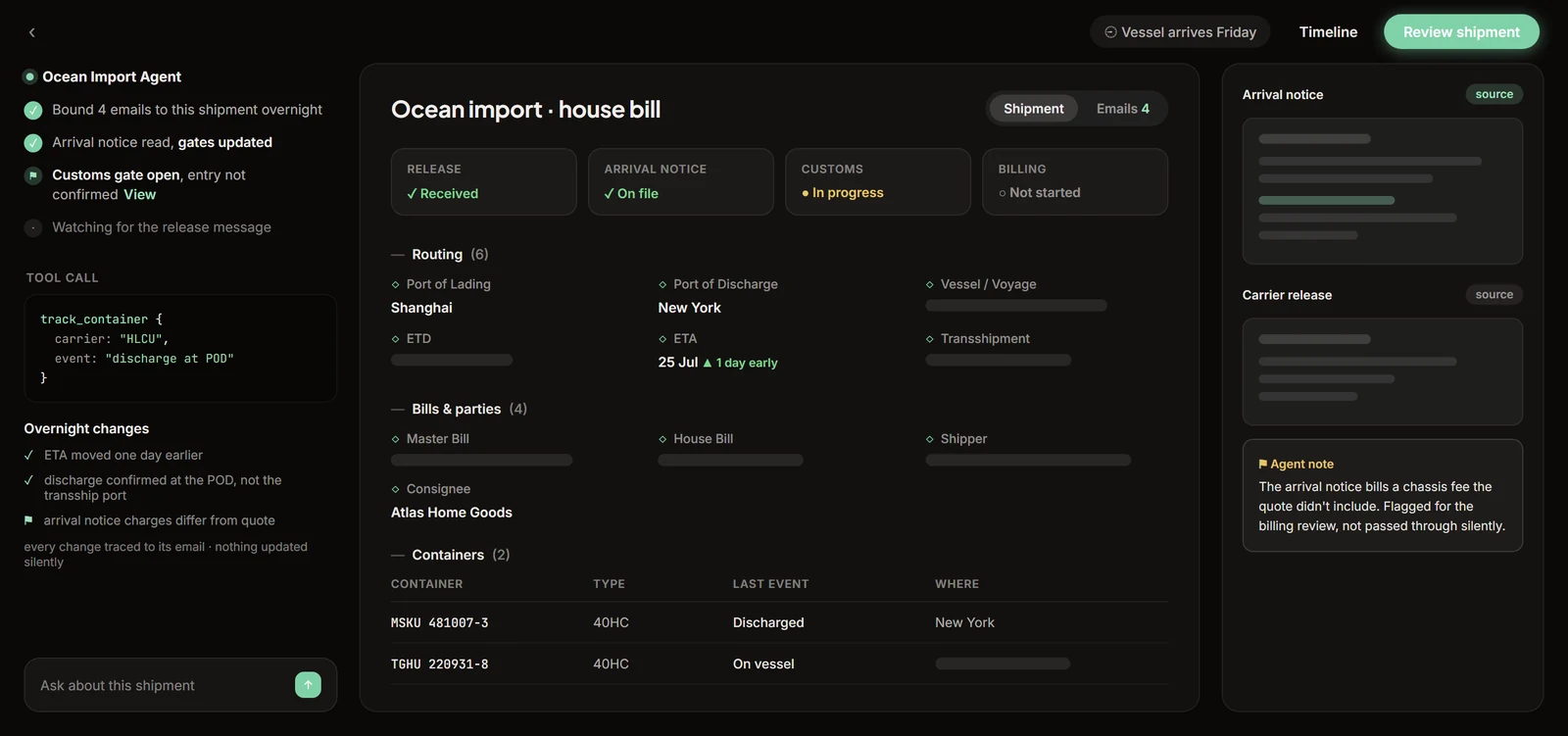
What do the ocean import agents actually do?
Lot created
Bill of lading and house bill in, a complete lot in your TMS out, containers and charge lines included, ready to accept.
ISF drafted
The 10+2 resolved from the worksheet and drafted into the filing portal for your team to submit. Due 24 hours before lading, with no room for a second pass.
Charges reconciled
The finance agent checks the vendor invoice against the dozen or so charge lines on the job and flags any line that does not match.
Standing audit
Every filing re-checked against what was actually filed, on its own schedule, in your own data.
Where can I read more about ocean import automation?
See what an ocean TMS actually does and where the email layer is missing, or walk the full pre-alert to filed lot workflow. For the money side, read how the finance agent handles ocean import charge reconciliation, or work through whether your operation needs a new TMS or a layer on the one you run.
Common questions about ocean import automation
What is an ocean TMS?
An ocean TMS is the transportation management system a freight forwarder uses as the system of record for ocean shipments: the lot or job file, the parties, the containers, the milestones, and the charge lines that become the invoice. It stores and organizes shipment data. What it does not do is source that data. Someone still reads the pre-alert, the master and house bills, and the arrival notice, and types what they say into the record.
Does TIO replace my ocean TMS?
No. TIO is the layer between your inbox and the ocean TMS you already run, and your TMS stays the system of record. The agents read the documents that arrive by email, resolve them against your existing data, and stage a finished lot for a person to accept into that system. There is no migration and no second system for your team to learn.
What has to change in our workflow to run this?
The documents keep arriving in the same mailbox and your team keeps working in the same TMS. What changes is that an operator opens a staged record instead of a blank screen, and the review replaces the keying. Measured at a US import forwarder running the agents in production, lot creation went from about 30 minutes to seconds across 25+ jobs a week, and ISF prep from about 15 minutes to seconds across 20 filings a week. Corrections your team makes become rules the agent keeps, so the same fix is not made twice.
Does the ISF get filed automatically?
No. The agent resolves the 10+2 from the worksheet and the bills and drafts it into the filing portal, and a person on your team reviews and submits it. Liability sits with the filer of record registered with CBP. Software cannot hold a filer code, so a person files.
What happens when the documents disagree?
The agent stops and asks rather than guessing. When an arrival packet holds two master bills, it emails a question instead of merging them, because one master bill is one job and a quiet merge is the error nobody catches until billing. When the house bill and the worksheet disagree about the consolidator, the agent stages the value from the carrier document, flags the conflict in the review email, and leaves the decision to the person submitting the filing.
See it on your own shipments.
Twenty minutes, no setup. Bring a real document and watch an agent take it to a finished draft while you’re on the call.
Book a demo