Trucking rate management is the step freight software leaves to the inbox: a forwarder running 100 jobs a month sends somewhere around 200 to 400 trucking rate requests by email, waits for replies that arrive over hours or days in incompatible formats, and matches each one back to its job by hand. A clean cycle takes 15 to 20 minutes per job; a messy one, where a carrier goes quiet or quotes the wrong basis, runs 45 to 60. The TMS records which carrier you chose, and none of what happened before that choice. The fix is a reading layer in front of the TMS: each reply extracted, tied to its job, and lined up in one comparison, with your team still picking the carrier and approving every write.
You sent three trucking rate requests on Tuesday. It’s Thursday.
Two carriers came back. One hasn’t.
You search the carrier’s name in your inbox, find four threads. One is from a different job. One is a rate confirmation from last month. You find the right one, copy the rate into a spreadsheet, then notice one carrier quoted door-to-door and the other quoted port-to-door. You email back asking for the same basis. You wait another day.
The job ships Monday.
This happens at every volume level, but it gets expensive once you’re handling 80 or 100 jobs a month. A forwarder at that volume is sending somewhere around 200-400 trucking rate requests by email. Most sort themselves out. Enough don’t that someone on your team spends hours every week tracking which carrier responded, whether the quotes are comparable, and what still needs to go into the TMS.
Why doesn’t the quoting step live in my TMS?
Carriers don’t quote in a standard format. Some send PDFs, some reply inline. Some include fuel surcharges in the rate, some add them separately. Some quote door-to-door; some quote port-to-door. That’s not a problem anyone can fix, because freight is local and carriers use whatever system they use. There’s no booking-confirmation equivalent for a trucking quote.
The TMS records who you chose. It doesn’t record who you asked, what they said, or whether you got a revised rate after you made the call. The quoting process is upstream of the TMS, and the TMS doesn’t touch it.
When does matching carrier emails to jobs break down?
At 30 jobs a month you probably know which carrier you asked for which job. At 80 that breaks. At 150 it’s a daily problem.
The breaking point is memory, and it arrives quietly. Nothing announces that the desk has crossed it; the first sign is usually a rate that was quoted, accepted verbally, and never confirmed in writing, discovered when the carrier invoice arrives $200 over what someone remembers agreeing to. There is no thread to check because the thread was never found in the first place. That dispute costs more time than the original coordination ever did, and it costs a little bit of the carrier relationship too.
Rate emails arrive without context. A carrier might quote on three different jobs in the same week. Their subject line says “RE: Rate Request” or just their company name. Matching each response to the right job means reading the email, finding the shipment details, and doing it by hand.
If you have three ops people working separate job sets, and carriers sometimes reply to the wrong person, the problem multiplies. Someone ends up with the same carrier in five different threads across five different jobs.
How much time does messy trucking rate coordination actually cost?
A clean rate cycle runs 15-20 minutes per job. A messy one, where a carrier goes quiet until the day before pickup or sends a revised rate without identifying the job, runs 45-60.
If 20% of your jobs have messy cycles and you’re running 100 jobs a month, that’s 300-400 extra minutes a month on carrier coordination. For a two-person ops team, that’s half a day each, every month, on one step. Most of it is finding the thread rather than reading the rates.
Those figures are illustrative, and the way to replace them with your own is quick: pick 10 recent jobs at random, open each one’s carrier threads, and time how long it takes to reconstruct who quoted what on which basis. Multiply by your monthly volume. Every forwarder who runs that exercise finds a different number; almost nobody finds a small one.
How does TIO handle trucking rate management?
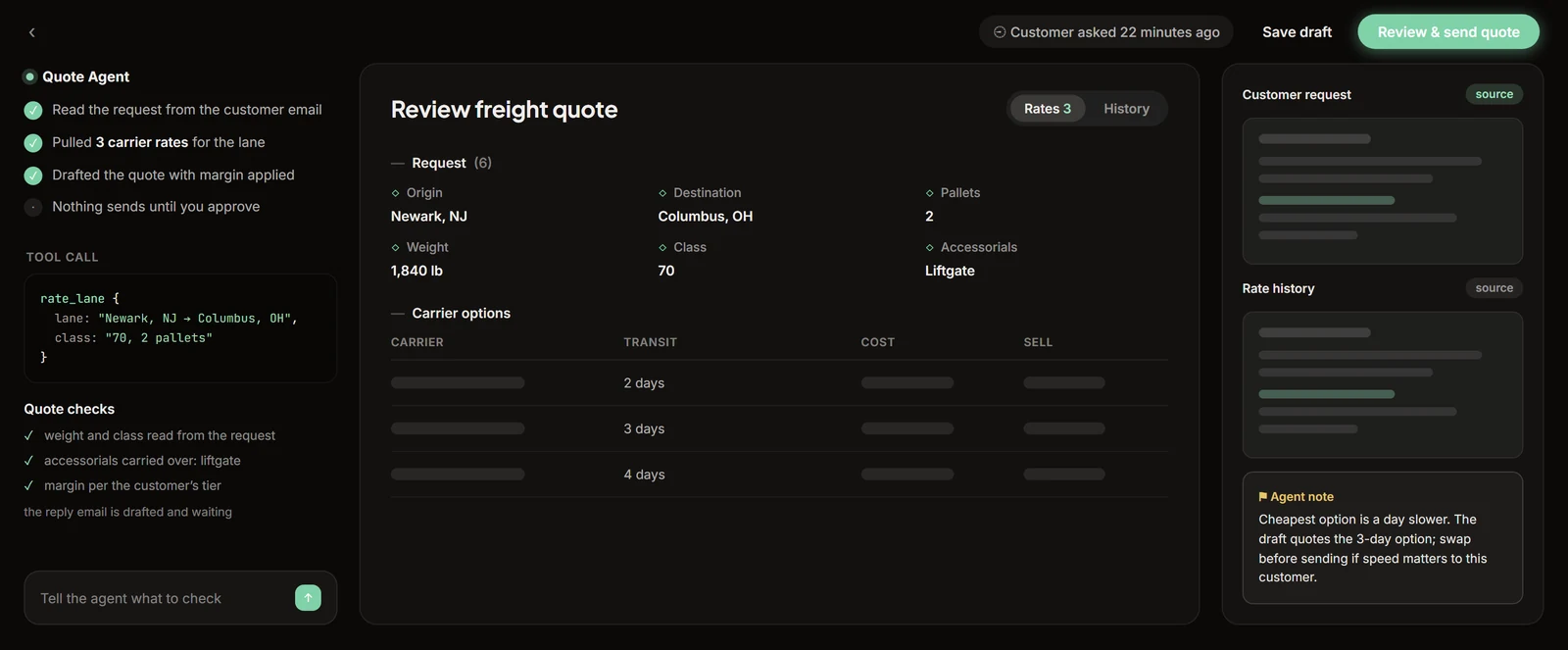
TIO reads every inbound rate email. It pulls carrier name, quoted rate, and rate basis. It ties the email to the job the original request came from. When you open the job, all carrier responses sit next to each other with the basis noted. You don’t touch your email client.
You pick the carrier. When you make the selection, TIO writes it to your TMS. Your team approves every write before it goes through.
TIO doesn’t negotiate rates or decide which carrier to use. If an email is ambiguous about which job it belongs to, TIO flags it instead of guessing. Phone quotes don’t go in automatically; a rate that never touched the inbox still needs a person to enter it, and the job record marks it as manually added so the comparison stays honest about its sources.
What is a rate basis, and why does it make quotes incomparable?
A rate basis is the scope a trucking quote covers: door-to-door versus port-to-door, fuel surcharge included versus added separately, accessorials bundled versus itemized, per-container versus per-load. Two quotes on the same lane can differ by hundreds of dollars and still describe the same real cost, because the basis differs. That is why a spreadsheet of raw numbers misleads: a $650 port-to-door quote next to a $780 door-to-door quote is not a $130 spread until someone normalizes what each covers. The basis lives in the prose of the email, in one line about fuel or chassis, which is exactly the part that gets lost when a rate is copied into a cell. Any comparison worth making has to carry the basis beside the number, and that is a reading problem before it is a math problem.
Spreadsheet tracking versus job-level comparison
| Inbox plus spreadsheet | Reading layer on the job | |
|---|---|---|
| Where quotes live | Scattered threads, one tab per week | On the job record, together |
| Rate basis | In the email, lost in the copy | Extracted and noted beside each rate |
| Late replies | Found by memory, or missed | Matched to the request automatically |
| Revised rates | Overwrite the cell, history gone | Kept as a sequence on the job |
| Who decides | Your team | Your team, same as before |
| TMS write | Keyed by hand | Staged; a person approves every write |
The 3 rows that change outcomes are basis, late replies, and revisions, because those are the rows where money hides. The decision row does not move: carrier choice stays with the person who knows that this carrier covers for a missed pickup and that one does not.
How do you set up a trucking rate desk that scales past 80 jobs?
- Pick one request format and hold it. Same fields in every outbound request: lane, equipment, weight, ready date, basis wanted. Carriers still reply in their own formats, but a consistent request cuts the clarification round-trips roughly in half on its own.
- Ask for the basis explicitly. One line in the request, “quote door-to-door including fuel,” removes the most common reason two quotes cannot be compared.
- Keep quotes on the job, never in a parallel file. The spreadsheet is where rate history goes to die. Whatever tool you use, the test is whether opening the job shows every carrier conversation that touched it.
- Time the coordination honestly, then decide. Pull 30 days of carrier email and count the hours. Below 4 hours a month, discipline alone may carry you. Above 10, the reading layer pays for itself on this step before it touches anything else.
What should I check before evaluating any tool?
Pull the last 30 days of carrier emails. Count how many jobs had more than two carrier conversations. For each of those, count how many threads you searched to find all the quotes. If it’s four hours a month, a tool that eliminates it is worth something. If it’s forty, it’s worth a lot more.
TIO handles trucking rate management as part of the inbox-to-TMS coordination layer. Every rate comparison tied to the job. Your team approves every TMS write. Book a demo to see it on your own carrier emails, or see how TIO handles trucking rate management.
Frequently asked questions
Why does trucking rate management take so much time for freight forwarders?
Trucking rate requests require emailing multiple carriers, waiting for responses that arrive over hours or days, then manually tracking which quote belongs to which job. For forwarders running 100 jobs a month, a modest 20 percent messy-thread rate adds several hours of coordination per month on carrier emails alone, before any actual quoting starts.
How do freight forwarders normally get drayage and inland trucking quotes?
Most small forwarders email 2 to 4 carriers per job, wait for replies, and track responses manually in their inbox or a spreadsheet. There is no standard format for carrier rate responses and no place inside most TMS platforms where email-based quotes live alongside the job record.
What is the typical turnaround time for a trucking rate response?
Carrier response time on email-based rate requests ranges from 2 hours to a full business day. If the first request goes unanswered and a follow-up is needed, the cycle stretches by another 24 hours or more. For time-sensitive drayage, the delay between sending the request and having a confirmed rate is the main bottleneck.
How does an AI coordination layer help with trucking rate management?
An AI coordination layer reads inbound carrier rate emails, extracts the quoted rate and rate basis, and ties each response to the originating job. When a team member opens the job, all 3 or 4 carrier quotes appear together without searching the inbox. The team selects the carrier and approves the TMS write. Phone quotes still require manual entry.