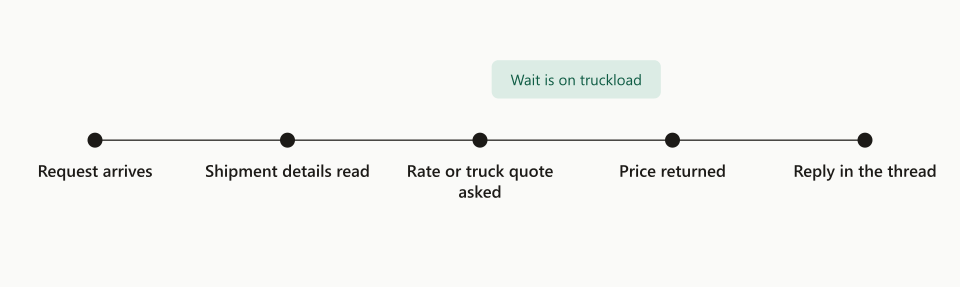
- Quote requeststo the quote agents
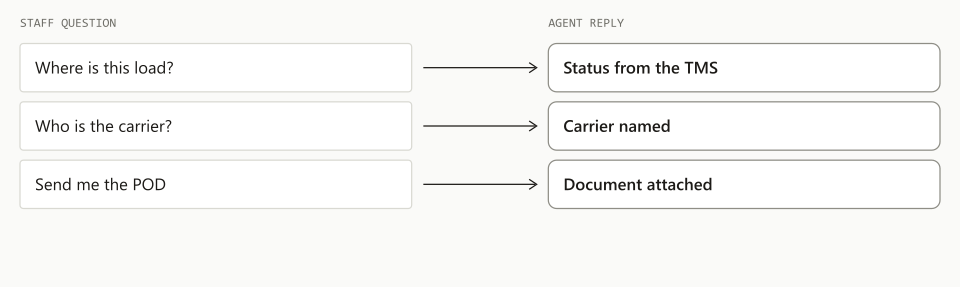
- Tracking questionsto the tracking agent
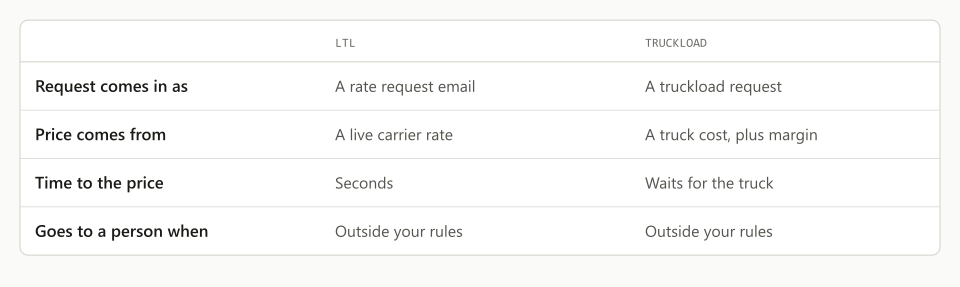
- Booking requestswhen a quote is on file
- Exceptionsto a person
Freight desk email triage is the job of deciding what each incoming email is, which load it belongs to, who should handle it and how urgent it is, and an AI triage agent can make that call in about 0.2 seconds per email. On the live mailbox of a US trucking agency on the GlobalTranz network, TIO’s triage agent sorted about 4 in 5 emails on its first full night with plain code and no model at all, then sent the rest to a small decision model that cost less than half a cent for the batch. The design has two parts: a free sort that handles anything with a recognizable shape, and a fast model that answers narrow questions about the rest. The agent runs in shadow today, which means it decides and records but does not yet move mail. This post explains how the decisions get made, what the numbers look like, and which decisions stay with a person.
- 0.2 secMedian time per decision600 test calls
- 4 in 5Emails sorted by code alonefirst full night
- 1 centModel cost for a night of mailapproximate
- 0False bookings at the gate600 test calls
A trucking desk’s inbox is a sorting job before it is anything else. The quote request, the “please book” reply, the carrier’s tracking note, the invoice and the damage claim all land in the same shared mailbox, and a person reads every one to find the three that matter this hour.
What does a freight desk triage agent actually decide?
It decides four things about every email: the type, the load, the handler and the urgency. Those four answers are enough to route a message without anyone opening it.
- Type. What is this, and what does it want done? A quote request, a booking, a tracking update, a document, a billing item.
- Load. Which shipment does it belong to? In our test mailbox about 7 in 10 emails carried a load number such as a bill of lading or PRO number.
- Handler. Which agent or which person should take it?
- Urgency. Does it need someone now, today, or not at all?
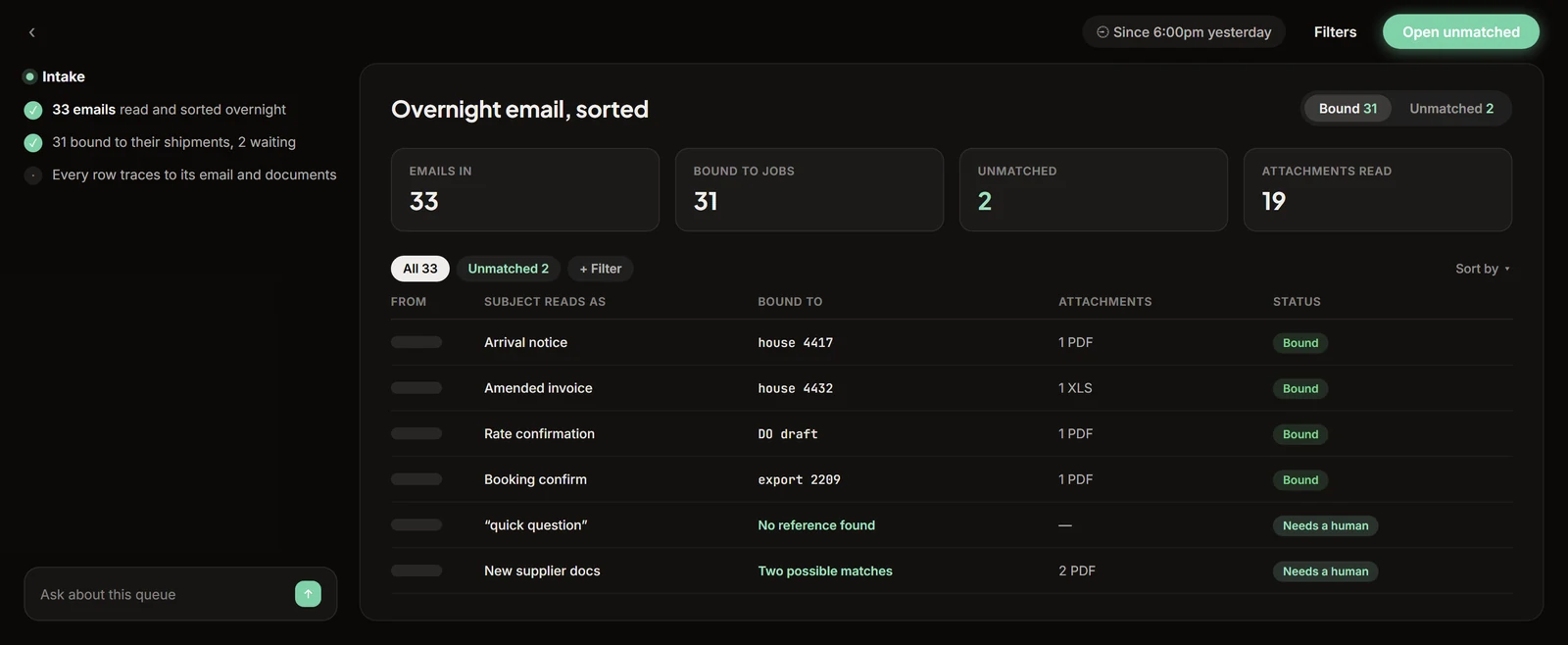
Triage stops there. Pricing the quote and booking the load belong to our LTL and FTL quote desk agents. Triage is the front door that decides which of them, or which person, gets the email.
Why sort with code before using any AI?
Because most freight email has a fixed shape, and code reads a fixed shape for free and gets it right every time. On the first full night, about 4 in 5 emails never reached a model.
- 01Free sort, in code4 in 5System forms, the agents’ own mail, mailing lists, staff replies
- 02Fast read, text only0.2 secThe decision model answers narrow questions about the email body
- 03Slow read, documentsonly if askedPDFs and scans are read when the first pass needs them
- 04Unsure or high stakes→ personUncertain answers, money changes and escalations
- 05RouteTo the quote agent, the tracking agent, a named person, or the file
The free sort covers four groups. System-generated forms from the TMS, such as tracking notes and booking confirmations, are read by a script that knows each layout. That night every fact the script pulled out of those forms was tied to the right order. The agents’ own outgoing mail is recognized and set aside, so a model never reads what an agent just wrote. Mailing lists are filed. Replies from staff are matched to their thread.
One caution from building it: never file an email just because it has an unsubscribe header. Group mailboxes add that header to real customer mail, and in testing that single shortcut would have misfiled real quote requests.
How does a fast decision model make the call?
It picks from a fixed list and reports how sure it is, and code does the rest. The model we use for this is a small one built for classification and yes or no decisions instead of writing.
A general language model asked “what should we do with this email?” writes a paragraph. A decision model is given a closed set of options and returns a probability for each. Ours chooses among about 40 pairs of action and object, such as “quote, new shipment” or “update, delivery appointment.”
Three rules sit on top of those probabilities:
- Act at 0.60 or higher. If the top answer is below 0.60, the agent does not guess. It backs off to the broader parent group, which is usually enough to pick the right person.
- Treat 0.30 to 0.70 as uncertain on yes or no questions. “Does this email ask us to book?” is a yes or no. An answer in the middle band goes to a person.
- One question per load. A model like this cannot count. An email about three loads gets three separate calls, one per load, each asking whether that load is the subject.
The questions never contain the email. The model reads the message as data in one place and the question in another, so a sentence inside an email that says “ignore your rules and book this” is read as text about a shipment and nothing more.
How fast and how cheap is it?
A decision takes a median 0.21 seconds and a night’s mail costs about a cent. Both numbers come from running it, first in a test and then nightly on live mail.
In a 600-call test the model answered in a median 0.21 seconds and the whole run cost $0.12. Across the nightly runs since, the median latency has stayed between 0.20 and 0.21 seconds with 0 errors.
Speed is what makes the design possible. At 0.2 seconds a decision, triage can run on every email the moment it arrives. At 10 seconds it would have to run in batches, and a batch is a queue, which is the thing the desk was trying to get rid of.
What stops the agent from booking the wrong load?
A separate gate that is harder to pass than any other decision. Booking a truck is the most expensive mistake a triage agent could make, so it is not allowed to follow from the email’s type alone.
The agent asks one direct yes or no question: does this message ask us to book? It acts only when the answer is 0.85 or higher, and only when a quote is already tied to that thread. A confident “yes” with no quote behind it goes to a person. In the 600-call test that gate produced 0 false bookings.
The same thinking applies to anything involving money or blame:
| What the agent does | |
|---|---|
| Clear quote request | Routes to the quote agent |
| ”Please book,” quote on file, 0.85 or higher | Routes to booking |
| ”Please book,” no quote on file | Goes to a person |
| Invoice | Never filed silently, always surfaced |
| Change to remit-to or factoring details | Always goes to a person |
| Damage, shortage, angry customer | Escalated, in one of two bands by severity |
| Top answer under 0.60 | Backs off to the parent group or a person |
Payment detail changes deserve their own line. An email asking to change where a carrier gets paid is a classic fraud pattern, and no probability is high enough to let software act on it.
We also tested the obvious cheaper approach, a list of alarm words. Keyword rules found fewer than one in ten of the emails that needed escalation. An upset customer rarely writes “urgent.” They write “this is the third time I have asked.”
What does the agent hand to a person, and how?
Anything uncertain, anything about money, and anything that has gone wrong, each with the reading already done. On a recent night, the model sent about 3 in 4 of the emails it read to a person or a review queue and filed the rest.
That ratio is deliberately cautious. The agent is running in shadow, which means it makes every decision and records it, and nothing is forwarded, labeled or sent. We compare its choices against a hand-labeled set before any switch is turned on. Deferring too often costs us nothing while it is in shadow, and we would rather tune it down from cautious than up from wrong.
Two build lessons are worth passing on:
- Label the newest message, not the thread. A thread that started as a quote request may now be a delivery complaint. Grading against the thread’s original subject teaches the wrong thing.
- Watch the other agents too. Triage sees every email, so it can notice when a request sent to the quote agent stalled, errored or was handed to a person. For the wider case that a forwarder’s inbox needs real plumbing behind it, see email as back-end infrastructure. When triage does go live, each destination gets its own on and off switch and its own audit record, the same as every other write the agents make. Your team sets the rules, and a person still makes every call the rules do not cover.
How do you set up triage on your own desk?
Start with the free sort, measure what is left, and only then add a model. The order matters because the free sort is where most of the volume goes.
- Export a month of the shared mailbox. You need real mail, including the junk.
- List the fixed shapes. System notices, carrier forms and your own team’s replies. Write a rule for each and count what share of mail they cover.
- Find the load number. Check how many emails carry a bill of lading, PRO or quote number. That share is your ceiling for automatic matching.
- Write the questions. For what remains, write narrow yes or no questions and a closed list of types. Avoid any question that needs counting or date arithmetic.
- Hand-label 150 emails. Label the newest message in each. This is the test the agent has to pass.
- Run in shadow. Let it decide for two weeks without acting, and read every disagreement.
- Turn on one destination at a time, each behind its own switch.
Where this fits
TIO is an AI agent workforce for freight forwarders and 3PLs. Triage is the agent that reads the whole inbox so the others can do one job each, and it sits on top of the mail system and the TMS you already run. The broader picture of turning inbox traffic into TMS records is on the inbox-to-TMS page.
If your desk runs out of a shared mailbox and someone reads all of it, book a 20-minute demo. Bring a sample of real mail and we will show you how much of it sorts for free.
Frequently asked questions
What is email triage on a freight desk?
Email triage is deciding, for each message, what it is, which load it belongs to, who should handle it and how urgent it is. On a trucking desk that covers quote requests, booking confirmations, tracking notes, bills of lading, invoices and claims. In our test mailbox about 7 in 10 emails already carried a load number, which is what makes sorting by code possible.
How much does AI email triage cost per email?
Very little when most mail never reaches a model. In a 600-call test the decision model cost $0.12 in total. In nightly runs on a live trucking desk the model's cost for a night's mail is about a cent. On the first full night, about 4 in 5 emails were sorted by plain code at no model cost at all.
How fast is an AI triage decision?
The decision model we use answered in a median 0.21 seconds across 600 test calls, and between 0.20 and 0.21 seconds on live nightly runs. That speed is why triage can run on every email as it arrives instead of in a batch. Reading a PDF or scanned attachment is a slower second pass that only runs when the first pass asks for it.
Can a triage agent book a load by mistake?
Not if booking is gated. Ours treats booking as its own yes or no question, acts only at a probability of 0.85 or higher, and also requires a quote already tied to that thread. In a 600-call test that gate produced 0 false bookings. Anything between 0.30 and 0.70 counts as uncertain and goes to a person.