Ocean export, from booking confirmation to shipping instructions.
Ocean export is scoped with you first and is not in production today. TIO’s agents would read the booking and commercial documents and prepare the shipping instructions and B/L data as drafts for your team to review and send. TIO does not book space or cargo with a carrier. The TMS you already run stays the system of record.
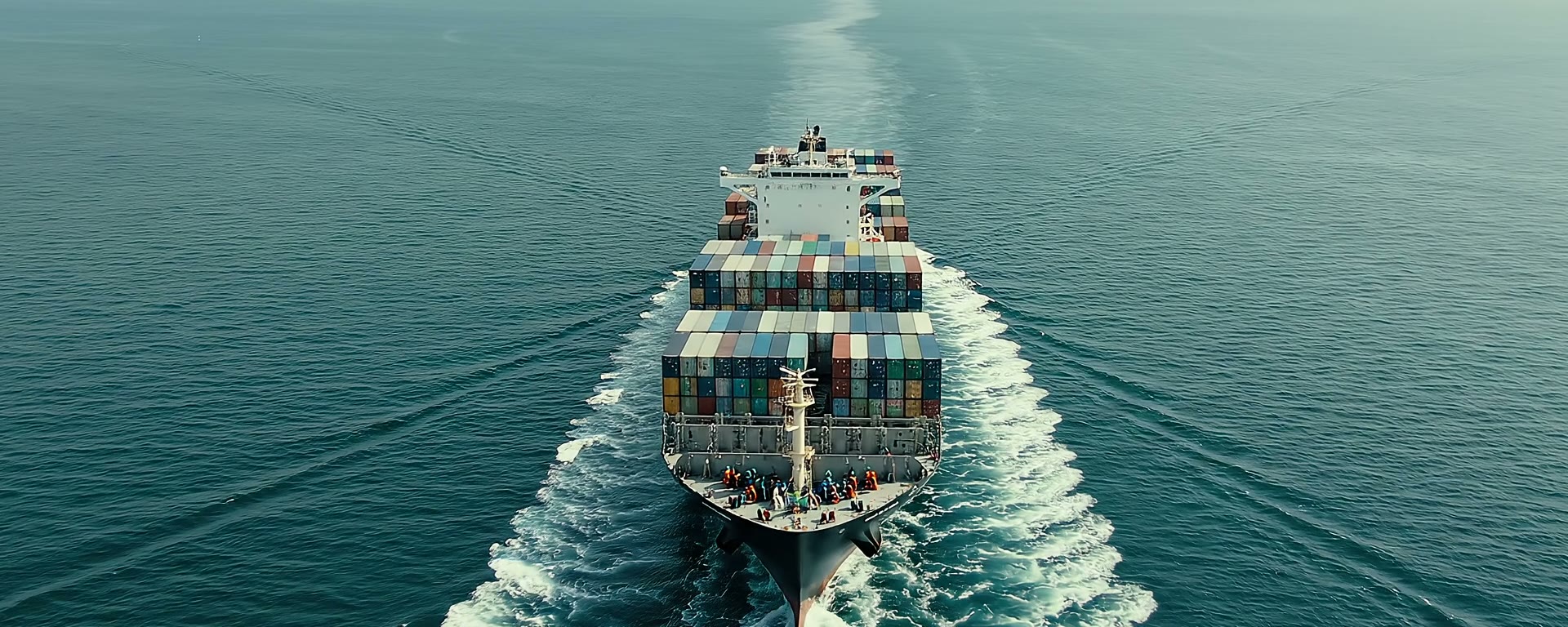
- 01Booking details
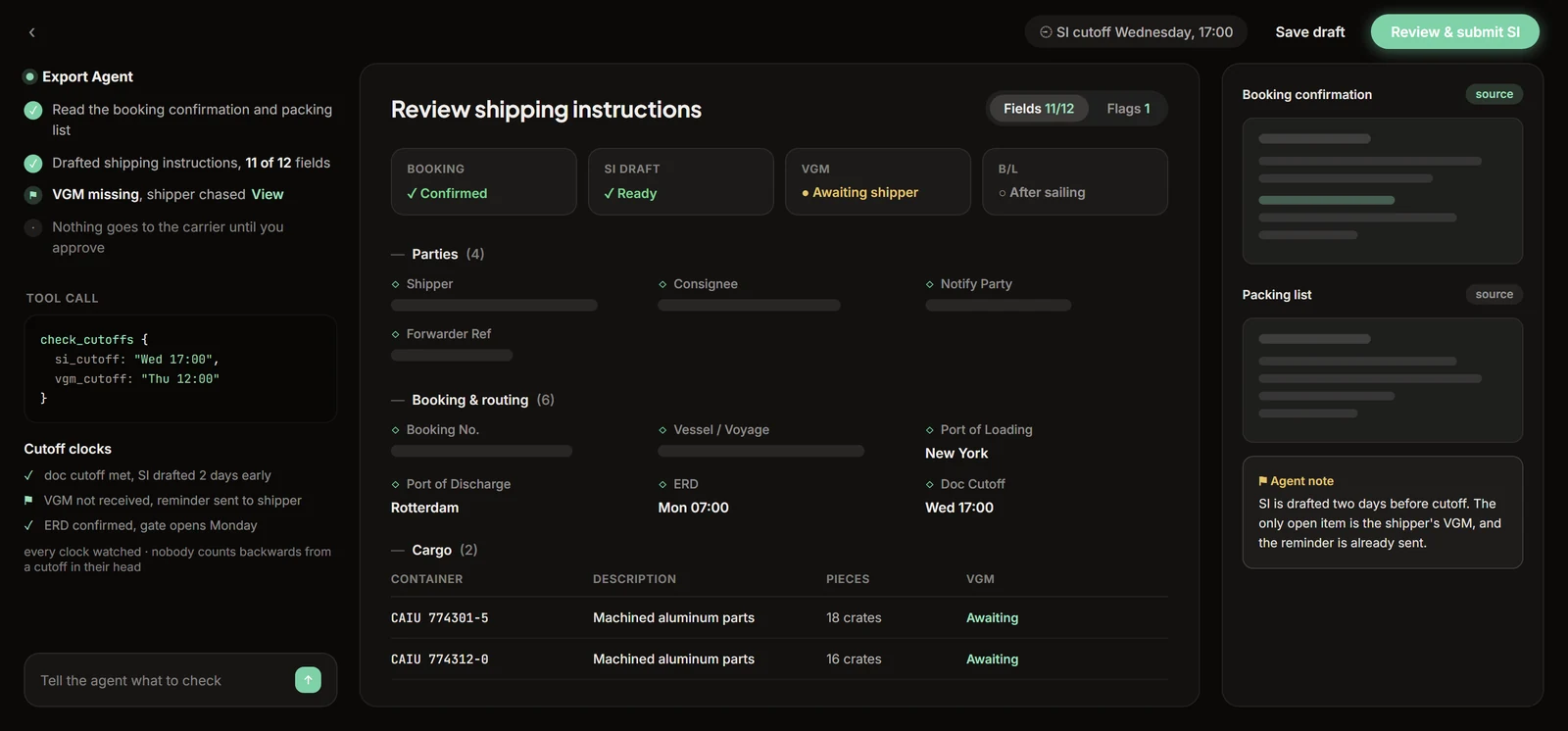
- 02Shipping instructionsa draft for review
- 03Sent by your team
A stack of cutoffs, each its own clock, none of them forgiving.
Ocean export runs on separate deadlines: empty pickup, container stuffing, VGM, the SI and doc cutoff, and the gate-in inside the ERD window. Miss the gate-in or VGM and the box rolls to the next sailing. Gate in too early and it sits accruing terminal storage. A missed cutoff does not warn you. It just rolls the box, and the customer hears it from someone other than you.
Where this stands: this workflow is scoped with you first and is not in production today. TIO prepares paperwork for your team to review and send. It does not book space or cargo with a carrier.
Read the docs and prepare the paperwork.
Shipping instruction draft
Reads the booking confirmation, matches it to the job, and prepares the shipping instruction and B/L data as a draft for your team.
Cutoff dates in the draft
Reads the cargo cutoff, doc cutoff, and VGM deadline from the booking confirmation into the draft. Your team keeps the clock. TIO does not track cutoffs.
Export filing prep
Prepares shipper, consignee, commodity, and value from the commercial documents as a draft for your filer. A licensed person on your team reviews and files it. TIO never files.
B/L drafts
Matches carrier amendments and B/L drafts to the job so your team works from the current set of documents.
Pre-alert package
Prepares the destination package with B/L type and surrender or telex state for your team to send to the destination agent.
Charges
Matches carrier and agent charges to the job’s charge lines and lists the ones that do not match, for your team to review. TIO does not pay a vendor.
These are the jobs we scope with you first. Every one stops at a draft. Your team reviews and sends the shipping instructions and the export filing, and reviews the charges. TIO does not book space or cargo, file a customs entry, or pay a vendor.
Where the work happens.
All solutions

Straight answers.
What does the ocean export agent do?
Ocean export is scoped with you first. It is not in production today. The workflow is scoped to read the booking confirmation and the commercial documents and prepare the shipping instructions and bill-of-lading data as a draft. Your team reviews the draft and sends it. TIO does not book space or cargo with a carrier. The read-and-key work that takes an operator 15 to 30 minutes per shipment is the work this workflow is scoped to take on.
Does the agent submit shipping instructions to the carrier?
No. TIO sends nothing to the carrier. It prepares the draft, and a person on your team reviews and sends it. An SI error becomes a bill-of-lading amendment, with a carrier fee and a delay attached, which is why a person sends every SI.
How would the agent help with cutoffs?
TIO does not track cutoffs on its own. Every booking carries 2 to 3 deadlines that arrive buried in the confirmation email: the doc cutoff, the cargo cutoff, and the VGM deadline. Reading those dates into the draft is part of what we would scope with you. Your team keeps the clock.
What changes for our origin agents and shippers?
We scope that with you first. The starting point is the documents your origin agents and shippers send today, in the format they use now. Your TMS stays the system of record. TIO works through an adapter built for your TMS. For any other system, we first check what it lets an agent read and write.
See it on a real ocean export.
Bring a real document and watch an agent take it to a finished draft while you’re on the call.
Book a demo